

Video Converter Pro APK (Pro)
Updated
2026-09-12
Version
0.2.30
System
Android
Category
Tools
Price
Free
Download APK
Fast Download : Download this app by PureMods App with faster speed.
Pro
The Ultimate All-in-One Video Studio — Convert, Compress, Edit & Share Instantly
VidSoftLab Video Converter & Editor is your all-in-one media studio for quick, high-quality video and audio transformation.
Convert, compress, and edit HD or 4K videos seamlessly. Whether you're a creator, student, or professional, VidSoftLab delivers fast, reliable tools in one smart package.
Why Millions Choose VidSoftLab
• ⚡ Fast 4K video conversion
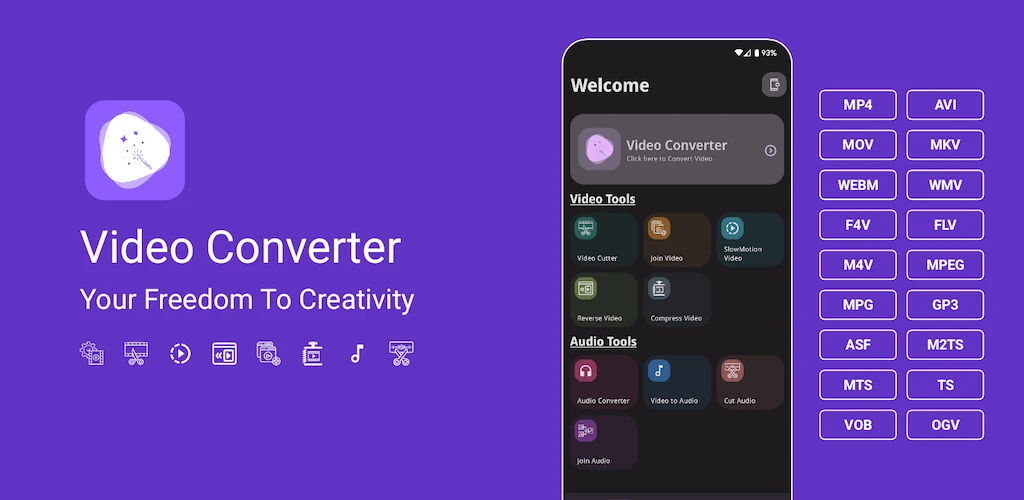
• All format support: MP4, MOV, MKV, AVI, FLV, 3GP, WMV, H264, H265 & more
• Audio conversion: MP3, M4A, AAC, OGG, FLAC, WAV, AC3, OPUS
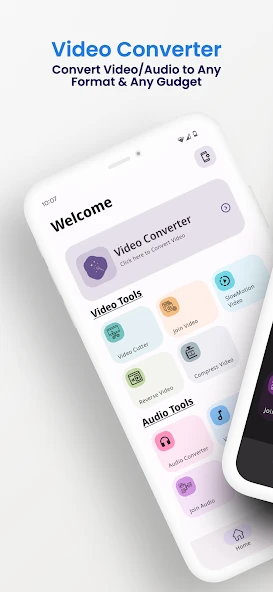
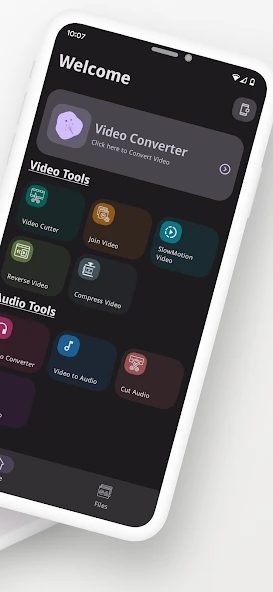
• ✂️ Video editing suite: Trim, cut, merge, crop, reverse, slow motion, rotate
• Smart compression engine: Shrink file size significantly with minimal quality loss (up to 90% reduction with H264/H265).
• Audio tools: Converter, cutter, merger, and tag editor
• Themes: Light, Dark & System Default
• Multilingual interface (50+ languages supported)
Powerful Video Converter
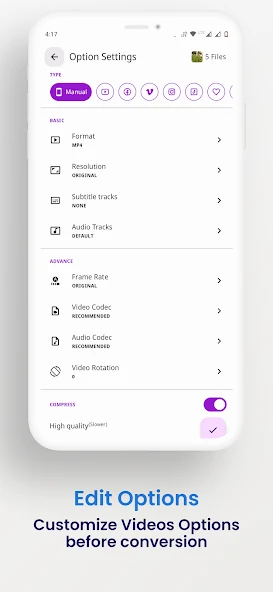
Supports custom settings for video & audio conversion:
• Resolution: 240p–4K or custom
• Frame rate (FPS), Bitrate (CBR & VBR), Codec, Channel
• Add or replace audio/subtitle tracks (SRT, VTT)
• Save device storage with efficient encoding
Complete Video Editor
• Trim & Cut: Frame-level precision trimming
• Merge: Join multiple clips in HD
• Reverse or Slow-Mo: Apply smooth rewind or up to 4× speed change
• Crop & Rotate: Adjust aspect ratios freely (1:1, 16:9, etc.)
• Intro/Outro Maker: Add branding or creative openers
Advanced Compressor
• Compress large videos using H264/H265 codecs
• Target desired output size or bitrate
• Ideal for social media uploads & file sharing
Audio Converter & Editor
• Convert formats easily (MP3, M4A, AAC, FLAC, OGG, OPUS)
• Merge multiple files or extract high-quality tracks
• Edit metadata (title, artist, genre, album art)
• Adjust audio speed, pitch, or gain
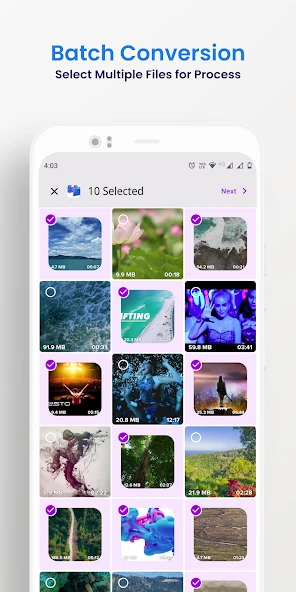
Batch Processing
• Convert or compress multiple files simultaneously
Professional Control
• Custom encoding: CBR/VBR, Sample Rate (8kHz–48kHz), Channel Selection
• Codec choices: h264, mpeg4, vp9, aac, mp3, flac
• Output presets for YouTube, Instagram, WhatsApp, and more
Designed for Everyone
• Modern UI with Light/Dark mode
• Compatible with 200+ Android devices
• Supports 50+ languages
Feedback & Support
Have suggestions or questions?
Email: kajalchiragsoft@gmail.com
⚠️ Notes
This app includes open-source components from FFMPEG under the LGPL License. You can access the source code here: FFMPEG Source Code
Perfect For
Content creators, vloggers, editors, YouTubers, and anyone who needs a versatile, fast, and powerful video converter & editor on the go.
Download now and turn your Android device into a professional video studio!
VidSoftLab Video Converter & Editor is your all-in-one media studio for quick, high-quality video and audio transformation.
Convert, compress, and edit HD or 4K videos seamlessly. Whether you're a creator, student, or professional, VidSoftLab delivers fast, reliable tools in one smart package.
Why Millions Choose VidSoftLab
• ⚡ Fast 4K video conversion
• All format support: MP4, MOV, MKV, AVI, FLV, 3GP, WMV, H264, H265 & more
• Audio conversion: MP3, M4A, AAC, OGG, FLAC, WAV, AC3, OPUS
• ✂️ Video editing suite: Trim, cut, merge, crop, reverse, slow motion, rotate
• Smart compression engine: Shrink file size significantly with minimal quality loss (up to 90% reduction with H264/H265).
• Audio tools: Converter, cutter, merger, and tag editor
• Themes: Light, Dark & System Default
• Multilingual interface (50+ languages supported)
Powerful Video Converter
Supports custom settings for video & audio conversion:
• Resolution: 240p–4K or custom
• Frame rate (FPS), Bitrate (CBR & VBR), Codec, Channel
• Add or replace audio/subtitle tracks (SRT, VTT)
• Save device storage with efficient encoding
Complete Video Editor
• Trim & Cut: Frame-level precision trimming
• Merge: Join multiple clips in HD
• Reverse or Slow-Mo: Apply smooth rewind or up to 4× speed change
• Crop & Rotate: Adjust aspect ratios freely (1:1, 16:9, etc.)
• Intro/Outro Maker: Add branding or creative openers
Advanced Compressor
• Compress large videos using H264/H265 codecs
• Target desired output size or bitrate
• Ideal for social media uploads & file sharing
Audio Converter & Editor
• Convert formats easily (MP3, M4A, AAC, FLAC, OGG, OPUS)
• Merge multiple files or extract high-quality tracks
• Edit metadata (title, artist, genre, album art)
• Adjust audio speed, pitch, or gain
Batch Processing
• Convert or compress multiple files simultaneously
Professional Control
• Custom encoding: CBR/VBR, Sample Rate (8kHz–48kHz), Channel Selection
• Codec choices: h264, mpeg4, vp9, aac, mp3, flac
• Output presets for YouTube, Instagram, WhatsApp, and more
Designed for Everyone
• Modern UI with Light/Dark mode
• Compatible with 200+ Android devices
• Supports 50+ languages
Feedback & Support
Have suggestions or questions?
Email: kajalchiragsoft@gmail.com
⚠️ Notes
This app includes open-source components from FFMPEG under the LGPL License. You can access the source code here: FFMPEG Source Code
Perfect For
Content creators, vloggers, editors, YouTubers, and anyone who needs a versatile, fast, and powerful video converter & editor on the go.
Download now and turn your Android device into a professional video studio!
How to Download and Install Video Converter MOD APK?
- Download the APK from the link on this page.
- Allow unknown apps when Android prompts you.
- Open the downloaded file and tap Install.
- Launch the app after installation.
What is Video Converter MOD APK?
It is a modified Android package of Video Converter with the MOD features described on this page.
How do I install Video Converter MOD APK?
Download and open the APK, then tap Install.
Is Video Converter MOD APK free?
Yes, it can be downloaded from this page without charge.












![Touch Recorder [Macro Clicker] APK icon](https://puremods.net/uploads/sync-images/sync-6946001f8d1657a585097b12662ba7bc4341592b.webp)